
Appearance
Annotations
Annotations let one entity comment on another — a research note pinned to a chapter, an editor's remark attached to one specific sentence. Notes can do this out of the box; any type can be given the ability (the annotator trait — see Entity Types & Traits).
Two kinds of attachment
- Whole document — the note is about the target as a whole.
- Quoted passage — the note anchors to an exact quote inside the target. The quoted passage is highlighted in the editor.
To annotate a passage, select the text and right-click — the menu offers to attach an existing note or create a new one on the spot.
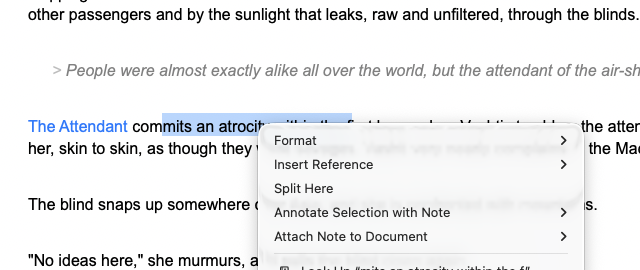
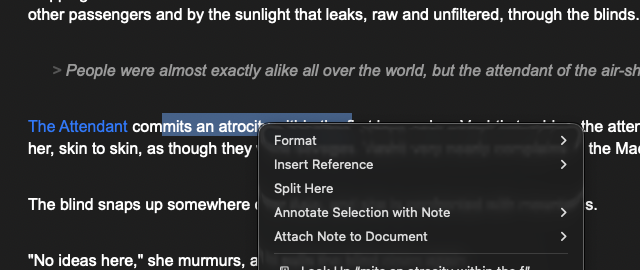 Whole-document notes can also be attached from the target's inspector (**Notes → Attach**).
 Quotes that survive editing
Prose moves. Writingale keeps quoted annotations attached through three layers:
- Live tracking — while a document is open, edits move the annotation along with its text.
- Exact relocation — when the document is reloaded, the quote is looked up and re-anchored where it now lives.
- Fuzzy matching — if the wording itself changed, a close-enough match re-anchors the annotation and updates the stored quote to the new wording.
Stale annotations
If all three layers fail — the passage is genuinely gone — the annotation is flagged stale rather than silently dropped. Stale annotations are marked in red in the inspector so you can re-anchor them to new text or retire them deliberately. The example book keeps one stale annotation on purpose (Note on the epigraph), pointing at a passage that has since moved off the chapter it was pinned to.
Where to see annotations
- On the note: the inspector's Annotates section lists everything it's pinned to, with quote previews and stale flags.
- On the annotated document: attached notes are listed in the inspector's Notes section, and quoted passages are highlighted in the editor.