
Appearance
Entity Types & Traits
Chapters, characters, locations, items, and notes are not hard-coded. Every book defines its own types — its own kinds of things — and the whole app reshapes itself around them: sidebar, list, inspector, graph, timeline.
The example book adds a custom type on top of the defaults: Faction (organizations with a motto, members, holdings, and a founding year — the Martians and the artilleryman's New Order).
The type editor
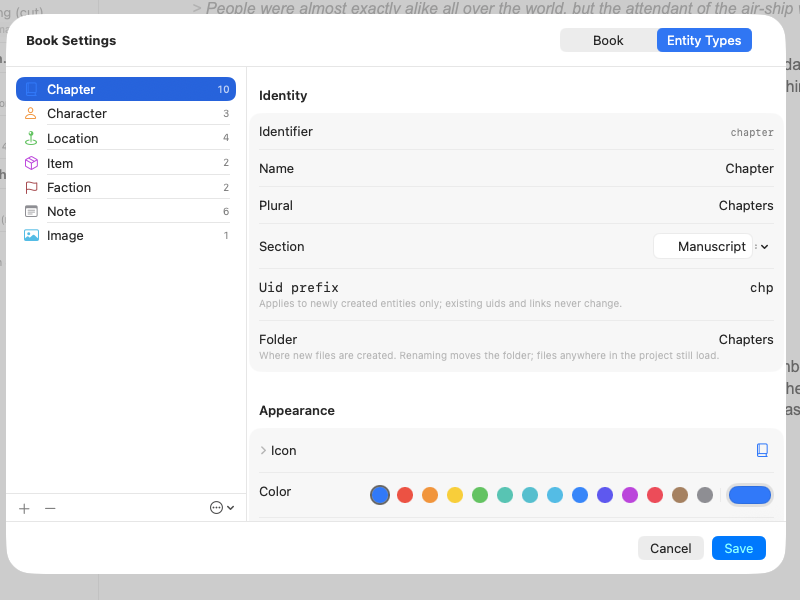
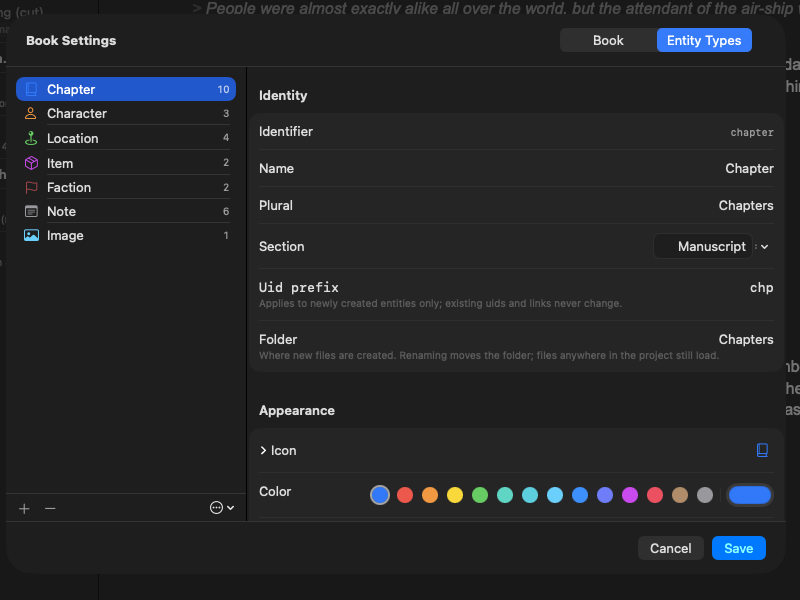
Book → Edit Entity Types… opens the type editor. There you can:
- create, reorder, and delete types;
- pick each type's icon (searchable symbol picker) and color (a named palette or any custom color);
- choose which sidebar section it appears under and what its things are called ("Faction" / "Factions");
- define its completion stages, its traits, and its custom fields;
- write the starter template every new entity of that type begins with.
Two safety valves:
- Apply Default Template adds the built-in types (the classic five plus Image) back additively — your custom types stay untouched.
- Deleting a type offers to keep its files. Kept files show up as "Unrecognized" and come back fully the moment a type claims them again.
Traits
Traits are ready-made behaviors you mix into a type. Give a type a trait and everything the trait implies appears throughout the app:
| Trait | What it adds |
|---|---|
| manuscript | The type is part of the book itself: it appears in the manuscript tree, can nest children (parts hold chapters, chapters hold scenes), counts toward writing goals, and exports. |
| status | A completion workflow with stages you name yourself (default: outline → draft → revision → final), shown as a colored progress ring everywhere the entity appears. |
| timeline | A place in story time — from, to, a label — and a card on the timeline. A type can have its own named timeline row (the example book's notes share a "World Events" row). |
| relationships | Named connections between entities of the same kind ("creditor", "old friend", "rivals"), edited in the inspector and drawn in the graph. |
| annotator | Entities of this type can pin themselves to other documents or to exact quoted passages — see Annotations. |
| journey | The entity's appearances throughout the manuscript are worked out automatically and shown as a journey. |
| image | Entities of this type each stand for a picture stored in the book, ready to embed in any document — see Images. |
Nothing is ever destroyed by turning a trait off: the entity's recorded facts survive on disk and come back if you re-enable it.
Custom fields
Four kinds of field cover most story facts:
- Text — free words (a motto, an epithet).
- Number — a numeric value (a founding year, a population).
- List — several short entries (character traits, holdings).
- Reference — links to other entities: a single one (an item's owner) or several (a faction's members), optionally limited to particular types. A reference field can also be marked as the point-of-view field, which is how journeys and the timeline know whose eyes a chapter looks through.
Fields appear in the inspector in the order you define them — see the inspector's Fields section.
Editing types by hand
Types can also be defined directly in the book folder's settings file — useful for sharing a setup between books or keeping it in a template. See the file format reference.